
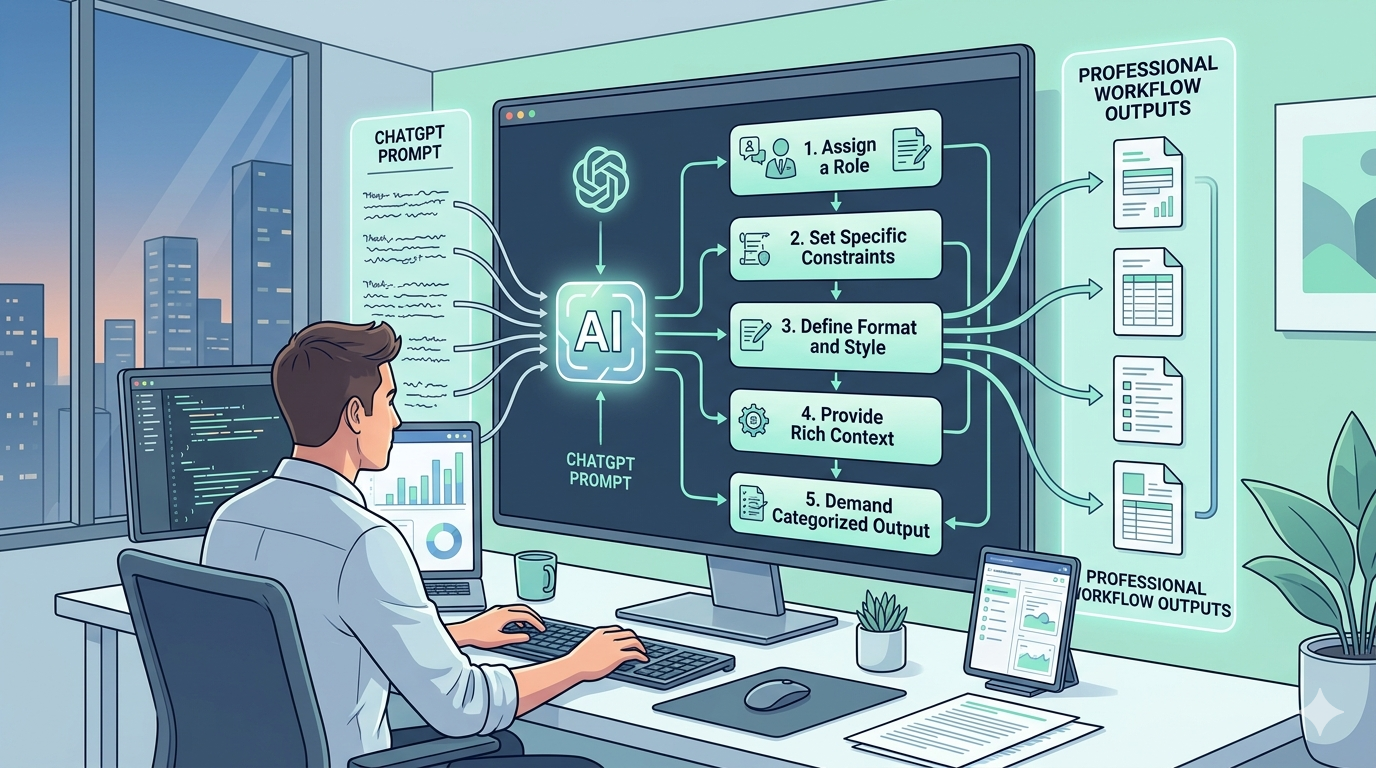
5 ChatGPT Prompt Structures to Master AI Productivity
Mastering ChatGPT prompt structures is the ultimate differentiator between solopreneurs who truly scale and those who merely create more busywork for themselves.
If you are using generative AI to win back your time, but you still find yourself aggressively editing walls of generic, robotic text, the system is broken. The root cause is rarely the limitations of the AI itself. Instead, it is a structural failure in how you are communicating with the underlying architecture.
Most independent consultants, creators, and small agency owners approach ChatGPT like a human intern. They throw vague instructions over the fence—like “Write a blog post about automation”—and expect a highly nuanced, brand-aligned output. But large language models do not possess intuition. They are advanced prediction engines. When you feed them broad, unstructured queries, they mathematically default to the most statistically average, generic response possible.
To actually reclaim your 10+ hours a week, you must stop treating AI like an intuitive human and start treating it like a software compiler. You need strict parameters, defined constraints, and repeatable frameworks.
The Problem with “Admin Drag” and Vague ChatGPT Prompts
In the systems architecture space, we refer to the hidden cost of bad AI outputs as “admin drag.” This occurs when the time spent prompting, re-prompting, and heavily editing a mediocre AI output eclipses the time it would have taken to execute the task manually from scratch.
Admin drag is the silent killer of solo businesses. It gives the illusion of AI productivity while actively bottlenecking your daily operations. When you rely on loose inputs rather than rigid ChatGPT prompt structures, you are essentially rolling the dice on your business assets.
Consider how automation tools actually function. When systems talk to each other—whether it is a webhook bridging Make to your CRM, or a standard API call—they require exact, uncompromising formatting. Your interaction with a language model should be no different. You need a reliable data schema for your text generation.
By adopting a highly intentional approach to prompt engineering—similar to the foundational principles outlined in OpenAI’s official prompt engineering documentation—you force the AI out of its generic baseline. You constrain the probability of its next-word prediction to align exclusively with your specific professional standards.
Furthermore, when these optimized constraints are documented and stored directly within your existing Notion systems and architecture, they transition from temporary ideas into frictionless, one-click assets. You stop frantically typing out requests from memory and start deploying pre-engineered workflows.
The shift from vague requests to structured constraints is what turns a toy into a tool. Moving forward, we will break down five highly specific, transformative frameworks that eliminate admin drag and generate immediate ROI.
The 5 Transformative ChatGPT Prompt Structures
To permanently eliminate “admin drag” and transform your AI from a novelty into a reliable business partner, you must implement rigid, reliable frameworks. These five ChatGPT prompt structures are explicitly engineered to force the language model into delivering highly categorized, actionable, and professional outputs. By applying these exact constraints, busy solopreneurs can immediately bypass generic AI filler and reclaim hours of manual formatting.
1. The Role-Playing Expert
One of the most foundational ChatGPT prompt structures is forcing the AI to adopt a highly specific professional persona before it generates a single word. When you assign a distinct role, you filter out the bland, generic voice—often recognized as the classic “as an AI language model” disclaimer.
The Framework:
“You are a [specific profession]. Your task is to [specific task]. Focus on [key considerations/style]. Begin by acknowledging your role.”
Why it works for solopreneurs: If you need a landing page critique, do not just ask for feedback. Command the AI to act as a “UX designer with 10 years of experience focusing on conversion optimization”. The output instantly becomes more authoritative, highly tailored, and ready for immediate implementation. You can seamlessly integrate this output into your WorkFlowMint time-reclamation strategies to speed up project delivery.
2. The Brainstorm and Categorize Method
Generating ideas is easy, but organizing them is where you lose valuable time. A wall of unstructured text is effectively useless for a busy consultant. This framework guarantees that you get both high-volume ideation and rigid structure simultaneously.
The Framework:
“Brainstorm [number] creative ideas for [topic]. Categorize these ideas under [number] relevant headings, and for each idea, include a brief one-sentence description. Aim for variety and originality.”
Why it works for solopreneurs: By mandating categories and strictly limiting the descriptions to exactly one sentence, you eliminate the need to manually organize messy brainstorms. It is a massive time-saver for content planning and marketing strategy.
3. The Summarize and Extract Framework
When you are handed a 20-page industry report at 5 PM, reading it cover-to-cover is not a viable option. Standard AI summaries are often still too long or lack strategic value. This structure forces the AI to not only condense the information but also extract the “so what?”—the actual, boots-on-the-ground actionable steps.
The Framework:
“Summarize the following text in [number] concise bullet points. Additionally, identify [number] key actionable takeaways that a [target audience] could implement immediately. The text is: [paste text]”
Why it works for solopreneurs: Extracting specific actionable takeaways tailored to your exact target audience turns passive reading into active, implementable business intelligence. For further reading on streamlining data extraction, check out Zapier’s advanced guide to AI data parsing.
4. The Simplify and Explain Prompt
Explaining complex technical concepts to non-technical clients without overwhelming them is a constant hurdle. This structure ensures the AI translates heavy technical jargon into digestible, client-facing communication.
The Framework:
“Explain [complex concept] in simple terms suitable for someone with no prior knowledge, using analogies where helpful. Avoid jargon and focus on the practical implications or core idea. Then, provide one real-world example.”
Why it works for solopreneurs: The explicit “avoid jargon” instruction is the linchpin here. It prevents the AI from simply substituting complex words with slightly less complex words, forcing a fundamental simplification of the core idea.
5. The Condense and Refine Technique
Solopreneurs often write wordy, rushed first drafts. Instead of merely asking the AI to “fix this,” this specific prompt structure demands that the AI adapts the tone and, crucially, explains its rationale.
The Framework:
“Refine the following text to be more [desired tone]. Ensure it appeals to a [target audience]. Highlight any significant changes you made and explain why. Here’s the text: [paste text]”
Why it works for solopreneurs: By forcing the AI to explicitly explain why it made structural changes, you are not just getting a revised draft; you are effectively receiving an automated writing masterclass. This ensures your personal drafting skills improve naturally over time, reducing your reliance on edits.
Integrating These Prompt Structures into Your Systems
Understanding effective ChatGPT prompt structures is only the first half of the equation. If you are still manually typing out these frameworks from memory every time you open a chat window, you are leaving massive efficiency gains on the table. For a busy solopreneur, the true power of automation is unlocked only when these structural constraints are operationalized into one-click assets.
To completely eliminate the friction of AI interaction, you must transition from treating prompts as spontaneous conversations to treating them as reusable code snippets. Here is how you can architect a resilient system around your AI workflows.
Build a Centralized Prompt Library in Notion
Your first step is to establish a single source of truth for your AI interactions. Do not rely on your browser history or a messy Google Doc. Instead, build a dedicated database within your existing Notion Systems and Architecture.
In this database, categorize your ChatGPT prompt structures by use-case: Content Creation, Client Onboarding, Data Analysis, and Strategy. Each entry should contain the raw prompt template with clearly defined variable brackets (e.g., [Insert Client Niche Here]). When a new project arises, you simply duplicate the template, fill in the specific variables, and execute. This guarantees consistency in your outputs and ensures that if a specific phrasing yields exceptional results, that exact phrasing is preserved for future use.
Leverage Text Expansion Tools for Zero-Friction Execution
For prompts you use daily—such as the “Summarize and Extract Framework”—opening Notion can sometimes feel like an unnecessary step. This is where text expansion utilities like Raycast (for Mac), AutoHotkey (for Windows), or TextExpander become invaluable.
By mapping your most powerful ChatGPT prompt structures to keyboard shortcuts, you bridge the gap between thought and execution. For example, typing a short command like ;prompt-ux could instantly expand into the full “Role-Playing Expert” framework tailored for a UX designer directly within your ChatGPT input box. This micro-automation saves minutes per day, which compounds into hours per month, directly supporting your goal of scaling without increasing your workload.
Automate API Calls via No-Code Connectors
The ultimate evolution of AI productivity is removing the ChatGPT interface entirely. By utilizing no-code middleware like Make (formerly Integromat) or Zapier, you can pipe your highly structured prompts directly into OpenAI’s API.
Imagine a workflow where moving a client card in Trello to “Needs Strategy” automatically triggers a webhook. This webhook sends the client’s background data, wrapped perfectly in your “Brainstorm and Categorize” prompt structure, directly to the OpenAI API. The generated strategy is then automatically pushed back into a Google Doc and attached to the Trello card. You have successfully generated a comprehensive business asset without ever opening an AI chatbot. For a deeper dive into connecting these endpoints, review Make’s documentation on OpenAI API integrations.
By actively integrating these ChatGPT prompt structures into your daily software stack, you stop treating AI as a separate task and start embedding it as the invisible engine of your solo business.
Conclusion: Reclaim Your Time with Intentional AI Productivity
The narrative constantly pushed by mainstream tech influencers is that AI is a magic wand—you type a few casual words, and a fully formed, revenue-generating business asset magically materializes. As a busy, boots-on-the-ground solopreneur, you already know this is pure fiction. Generative AI is not magic; it is simply a highly advanced computational engine. To extract professional-grade outputs that actually save you time, you must provide professional-grade, strictly formatted inputs.
When you implement rigid ChatGPT prompt structures, you are actively making the transition from conversational AI to operational AI. You are no longer casually chatting with a bot in hopes of finding inspiration; you are commanding a system to execute a predefined task. This fundamental shift in perspective is what separates the permanently overwhelmed freelancer from the strategically scaled solo-business owner. It is the exact, zero-hype methodology required to eliminate the hidden friction of “admin drag” that secretly consumes your week.
Think of your solo business as a complex software architecture. Every time you write a vague, unstructured prompt, you are injecting bad data into your system, generating unpredictable errors that you must manually fix and format later. But when you apply the exact frameworks we have discussed—forcing authoritative role-play, demanding structured categorization, enforcing jargon-free simplification, and commanding actionable extraction—you are standardizing your data pipeline. The machine finally runs flawlessly.
True time-reclamation does not rely on memorizing clever internet hacks or bookmarking random social media threads. It relies entirely on sustainable, documented systems. By taking these prompt constraints and embedding them directly into your daily software stack, you create a personalized, executable operations manual. The goal is never to spend more time inside the AI interface. The goal is to spend less time managing the AI so you can spend more time delivering value to your clients and growing your revenue.
For broader insights into how structured inputs are fundamentally changing global knowledge operations, I highly recommend exploring Harvard Business Review’s deep dive on AI-driven productivity. Do not settle for generic, robotic outputs. Demand precision, enforce strict rules, and watch your weekly hours return to your control.
Ready to Automate Your Solopreneur Systems?
Reading about highly efficient ChatGPT prompt structures is a fantastic first step, but reading alone does not reclaim your time—aggressive implementation does. If you are tired of patching together temporary solutions and manually typing out the exact same AI requests week after week, it is time to permanently upgrade your operational infrastructure.
At WorkFlowMint, we specialize in helping independent creators, consultants, and small agency owners bypass the exhausting trial-and-error phase of business scaling. You do not need more vague inspiration; you need exact blueprints and digital architectures that work immediately out of the box.
If you want to instantly deploy the frameworks discussed in this article, alongside dozens of other pre-configured automations, you need a robust digital environment. Stop wasting your valuable billable hours trying to build the perfect workspace from scratch. Instead, take immediate action and explore our comprehensive WorkFlowMint Workflow Audits & Optimization Services to identify exactly where your solo business is silently leaking time.
Within our dedicated resource hub, you will find ready-to-use Notion systems, advanced Make and Zapier routing blueprints, and specialized templates engineered specifically for the time-poor solopreneur. We have already done the heavy lifting of mapping out the architecture. Your only job is to plug your specific business data into a machine that actually runs.
Take the guesswork out of your daily operations. Implement these structural AI constraints today, connect them to your favorite no-code tools, and experience what it actually feels like to scale a solo business without increasing your workload.